This documentation is available as Markdown for AI agents and LLMs. See the full Markdown index or append .md to any documentation URL.
This is documentation for the next SDK version. For up-to-date documentation, see the latest version (SDK 57).
TextField
Jetpack Compose TextField components for native Material3 text input.
For cross-platform usage, see the universal
TextInput— it renders the appropriate native component per platform.
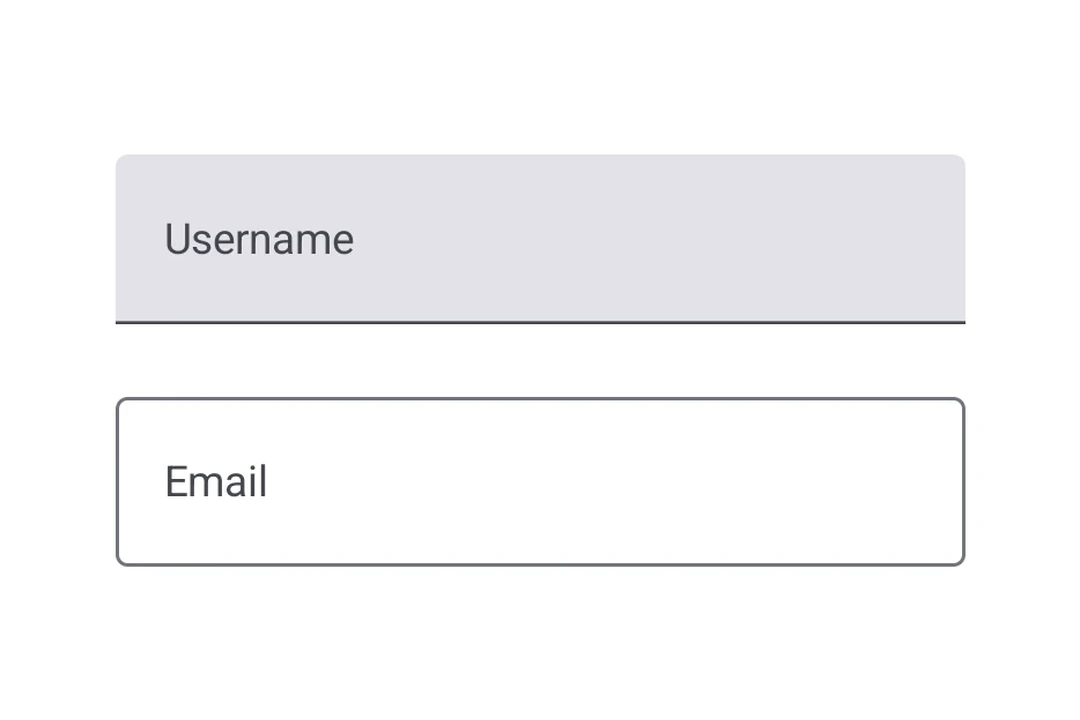
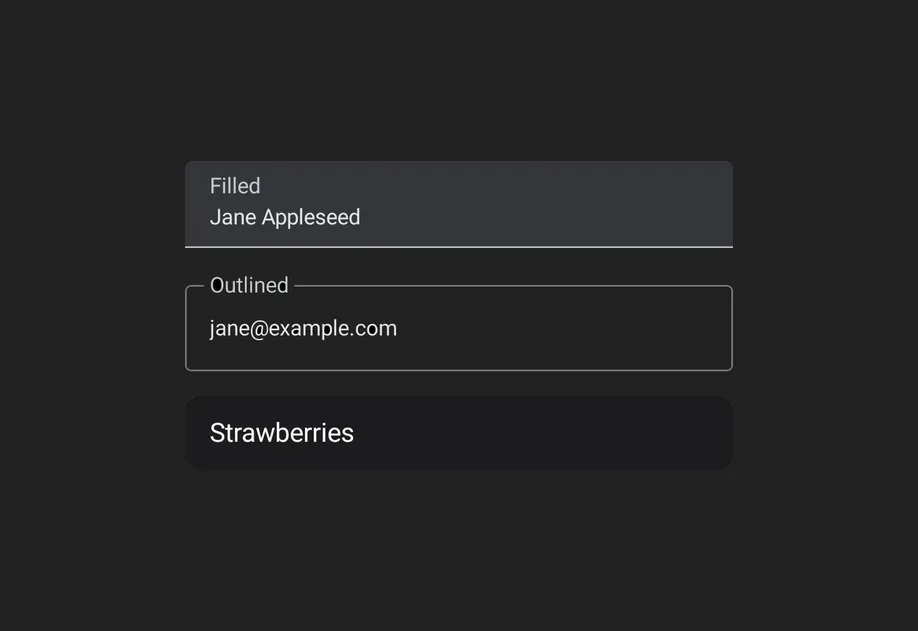
Expo UI provides three text field components that match the official Jetpack Compose TextField API: TextField (filled), OutlinedTextField (outlined border), and BasicTextField (unstyled). The Material variants TextField and OutlinedTextField share the same props and support composable slot children for label, placeholder, icons, prefix, suffix, and supporting text. BasicTextField has no Material chrome, so you supply your own decoration.
Installation
If you are installing this in an existing React Native app, make sure to install expo in your project.
Usage
Uncontrolled text field
Bind a useNativeState observable to value. The field tracks the user's input on its own, and you read the current value from text.value. The filled style shown here is the default Material3 text input.
Controlled text field
Pass a useNativeState observable as value and an onValueChange worklet to transform or validate input before writing it back. The example below uppercases the text as it is typed.
Note: Worklets require installing
react-native-worklets.
Outlined text field
Use OutlinedTextField for a text field with a border outline instead of a filled background.
Basic text field
BasicTextField is the unstyled Compose primitive, with no container, indicator, or padding. Style it yourself with modifiers and supply decoration through DecorationBox, placing InnerTextField where the editable text should render. Wrap placeholder content in Placeholder to have it shown only while the field is empty, toggled natively from the field's text.
Slots
Both TextField and OutlinedTextField support 7 composable slots that match the Compose API: Label, Placeholder, LeadingIcon, TrailingIcon, Prefix, Suffix, and SupportingText.
Keyboard options
Use the keyboardOptions prop to configure the keyboard type, capitalization, auto-correct, and IME action.
Keyboard actions
Use the keyboardActions prop to handle IME action button presses. The triggered callback depends on the imeAction set in keyboardOptions. Each callback receives the current text value.
Imperative ref
Use a ref to imperatively set text, clear the field, change the selection, or move focus.
Worklet text masking
When onValueChange is marked with the 'worklet' directive, it runs synchronously on the UI thread, so writes to useNativeState observables inside the callback take effect before the next frame. There is no flicker between the typed text and the masked text. The example below masks a phone number as the user types and writes both value and selection from the worklet to keep the cursor at the end of the formatted value.
Note: Worklets require installing
react-native-worklets.
API
import {
  TextField,
  OutlinedTextField,
  BasicTextField,
} from '@expo/ui/jetpack-compose';
Components
Type: React.Element<BasicTextFieldProps>
A bare, unstyled Compose BasicTextField with no Material decoration.
Props for BasicTextField. Mirrors Compose's BasicTextField: a bare,
unstyled text field with no Material chrome (no container, indicator, or
built-in padding). Shares CommonTextFieldProperties with TextField and
OutlinedTextField; use BasicTextField.DecorationBox to add your own
decoration.
ColorValueColor of the text cursor. Maps to Compose's cursorBrush via
SolidColor(color). Defaults to the theme's primary color
(MaterialTheme.colorScheme.primary) so it stays visible in light and dark.
Type: React.Element<OutlinedTextFieldProps>
A Material3 OutlinedTextField with a transparent background and border outline.
Props shared by every Compose text field variant — TextField,
OutlinedTextField, and BasicTextField. The Material variants add their
own decoration props (isError, shape, colors, slot children);
BasicTextField adds cursorColor.
TextFieldColorsShapeJSXElementShape used for the field's container outline/fill. Use the helpers from
Shape (for example, <Shape.Pill /> or <Shape.RoundedCorner cornerRadii={...} />).
Defaults to the Material OutlinedTextFieldDefaults.shape/TextFieldDefaults.shape.
Type: React.Element<TextFieldProps>
A Material3 TextField.
Props shared by every Compose text field variant — TextField,
OutlinedTextField, and BasicTextField. The Material variants add their
own decoration props (isError, shape, colors, slot children);
BasicTextField adds cursorColor.
TextFieldColorsShapeJSXElementShape used for the field's container outline/fill. Use the helpers from
Shape (for example, <Shape.Pill /> or <Shape.RoundedCorner cornerRadii={...} />).
Defaults to the Material OutlinedTextFieldDefaults.shape/TextFieldDefaults.shape.
Types
Type: TextFieldRef
Imperative methods for BasicTextField. Identical to TextFieldRef.
Props shared by every Compose text field variant — TextField,
OutlinedTextField, and BasicTextField. The Material variants add their
own decoration props (isError, shape, colors, slot children);
BasicTextField adds cursorColor.
Observable state shared between JavaScript and native views (Jetpack Compose on Android and SwiftUI on iOS).
Type: SharedObject extended by:
Literal type: string
Acceptable values are: 'none' | 'characters' | 'words' | 'sentences'
Colors for TextField and OutlinedTextField.
Maps to TextFieldColors in Compose, shared by both variants.
Literal type: string
Acceptable values are: 'default' | 'none' | 'go' | 'search' | 'send' | 'previous' | 'next' | 'done'
Keyboard actions matching Compose KeyboardActions.
The triggered callback depends on the imeAction in keyboardOptions.
Literal type: string
Acceptable values are: 'text' | 'number' | 'email' | 'phone' | 'decimal' | 'password' | 'ascii' | 'uri' | 'numberPassword'
Can be used for imperatively focusing and setting text/selection on the
TextField, OutlinedTextField, and BasicTextField components.